Control for your Mac.
Launch apps, run scripts, send text. Turn everyday actions into buttons and run your Mac from your hand. All traffic stays on your local network.
 Get it on the App StoreRequires an iPhone on iOS 17+ and a Mac on macOS 14+
 Download CompanionmacOS 14 or later · Free · About 2.3 MB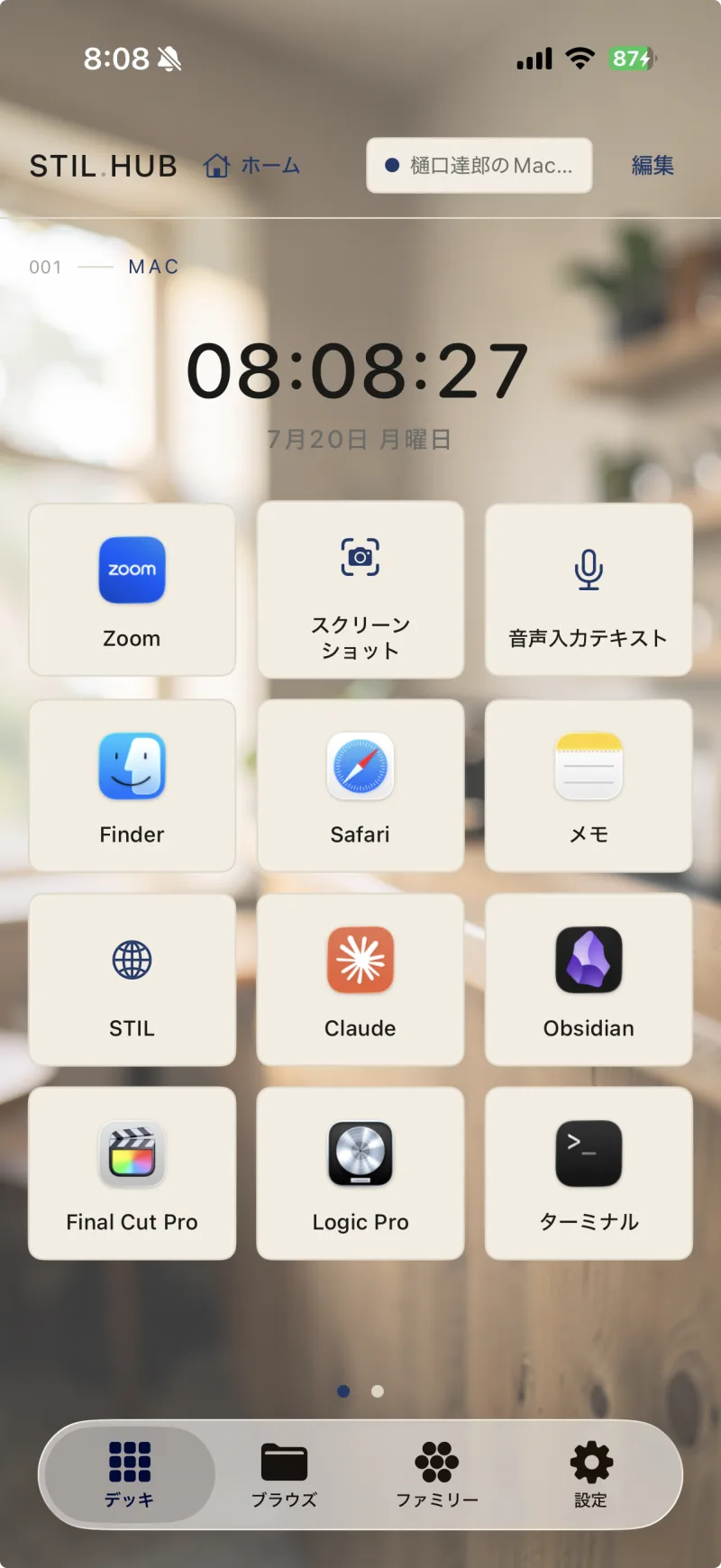
Control Deck
Everyday actions, as buttons.
Launch apps, send keystrokes, run Shortcuts and scripts. The iPhone on your desk becomes a hands-on switchboard for your Mac.
- Launch apps, send keys, run Shortcuts
- Run Python or shell scripts in one tap — results come back to your iPhone
- Schedule runs at set times
App Launch
Open Mac apps with a tap.
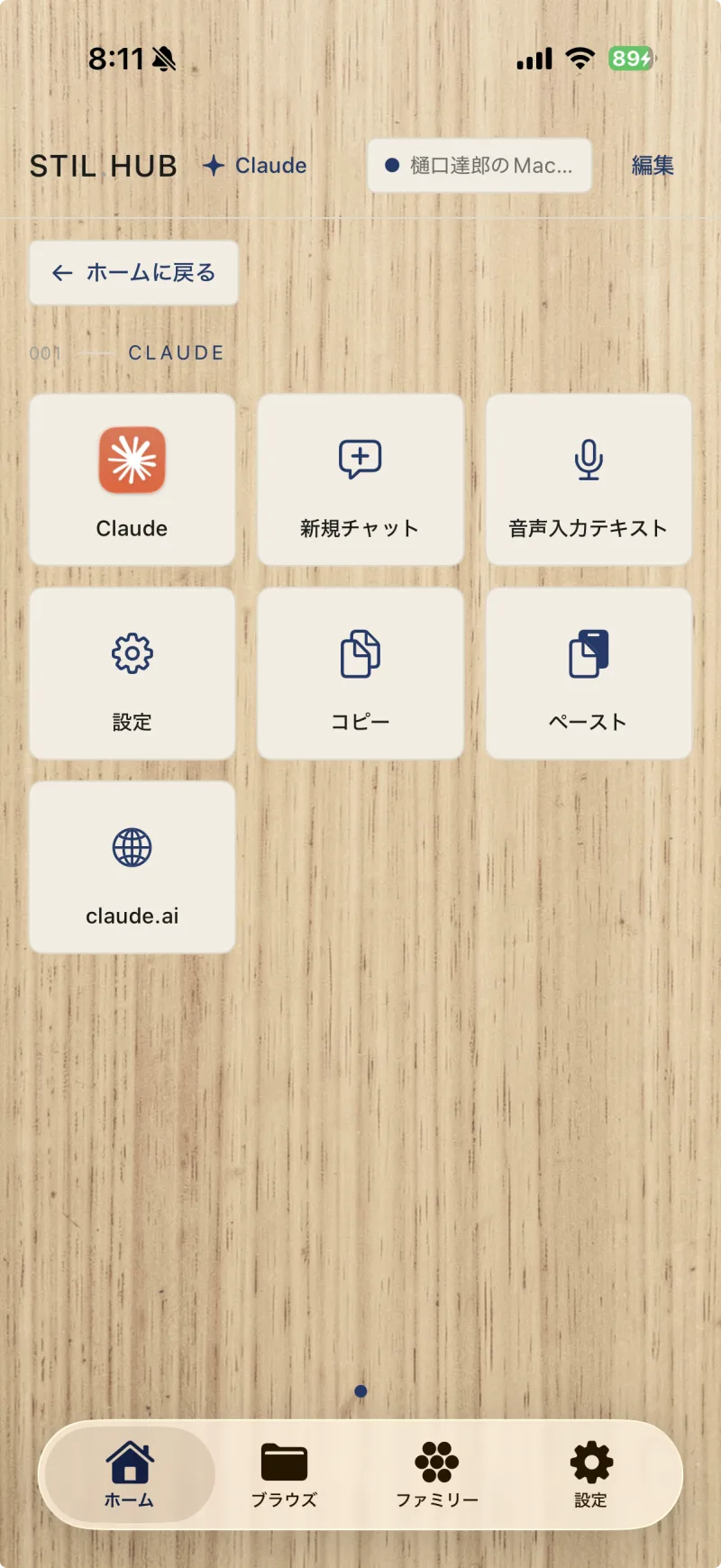
Just pick from the apps already installed on your Mac. Give each app its own deck, and the buttons at hand switch as the app opens.
- Pick from installed Mac apps
- Per-app decks that switch automatically
- Templates for Claude, Cursor, Final Cut Pro, and more
Trackpad
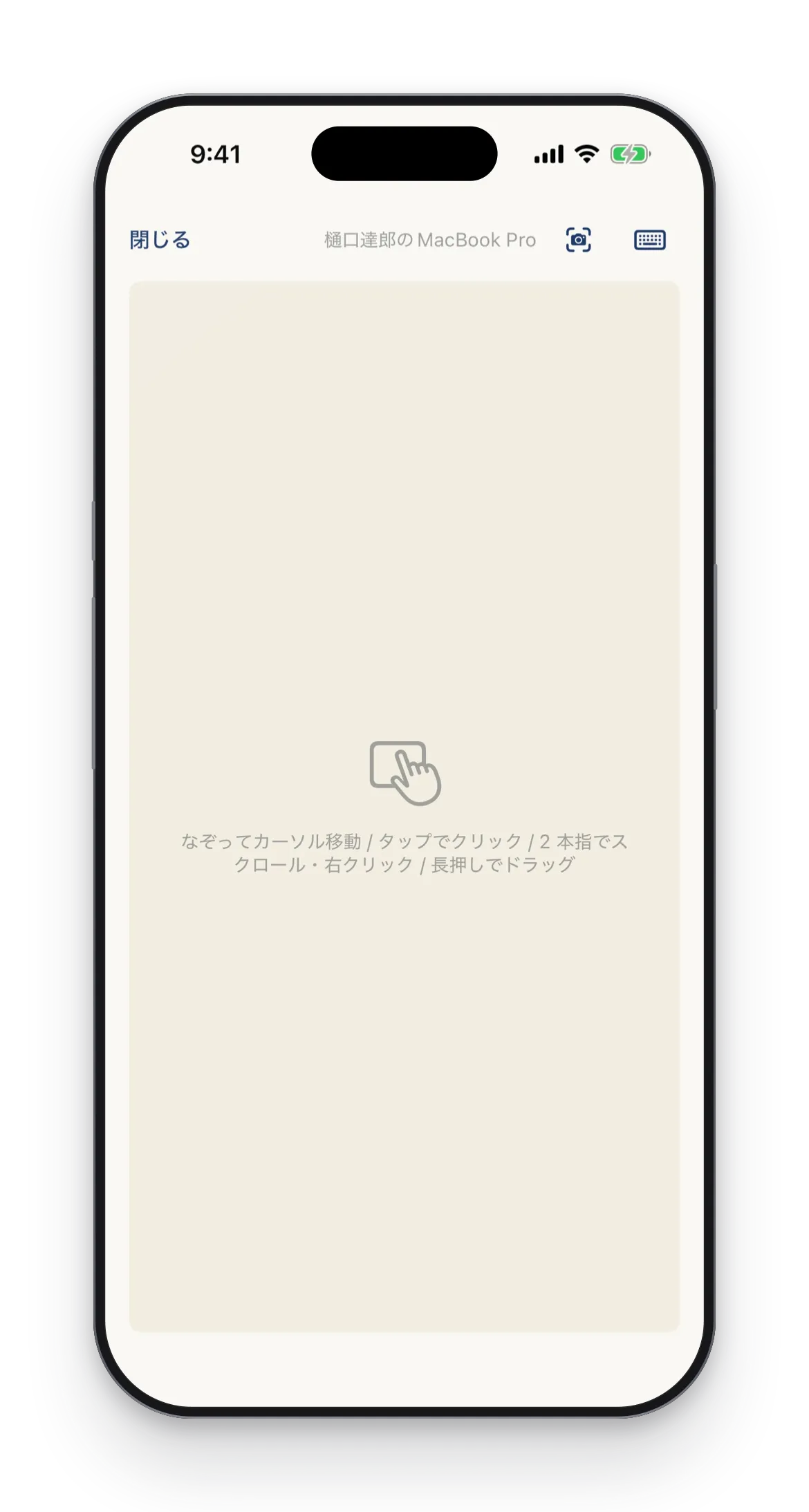
Your screen, as a trackpad.
Swipe on your iPhone to move the cursor on your Mac. Keep your hands off the keyboard and finish the small moves at hand.
- Swipe to move the cursor, tap to click
- Two fingers to scroll, two-finger tap to right-click
- Long press to start a drag
- Inertial scrolling that glides on after you lift your finger
- One button for screenshots — pick an area and a crosshair appears on your Mac to frame it from your hand
Video remote
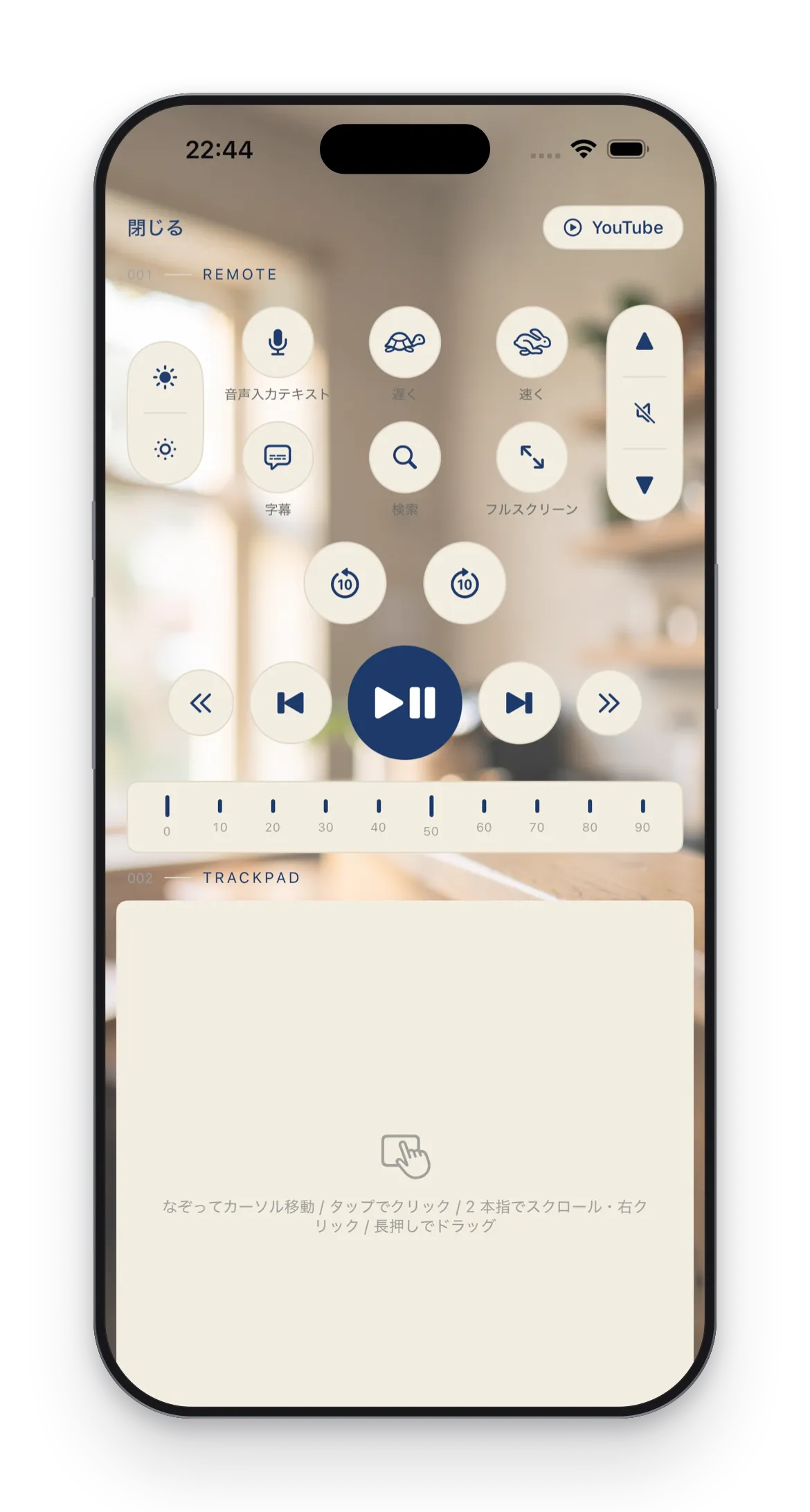
Video, from your hand.
Tap a tile on the home deck and the site opens on your Mac while a remote appears in your hand. Play, volume, captions — all without going back to the keyboard. Works with YouTube, Netflix, Prime Video and Hulu.
- Play and pause, 10-second skips, previous and next video and chapter
- Ten steps from 0 to 90 % to jump straight to the part you want
- Captions, full screen, playback speed, volume and brightness
- The lower half stays a trackpad, so you never have to switch back for the pointer
Brightness control requires Companion 1.2 or later. Company and product names mentioned here are trademarks of their respective owners. STIL.HUB is not affiliated with any of them. The video site templates simply send standard keyboard shortcuts to the page open in your browser.
Calculator
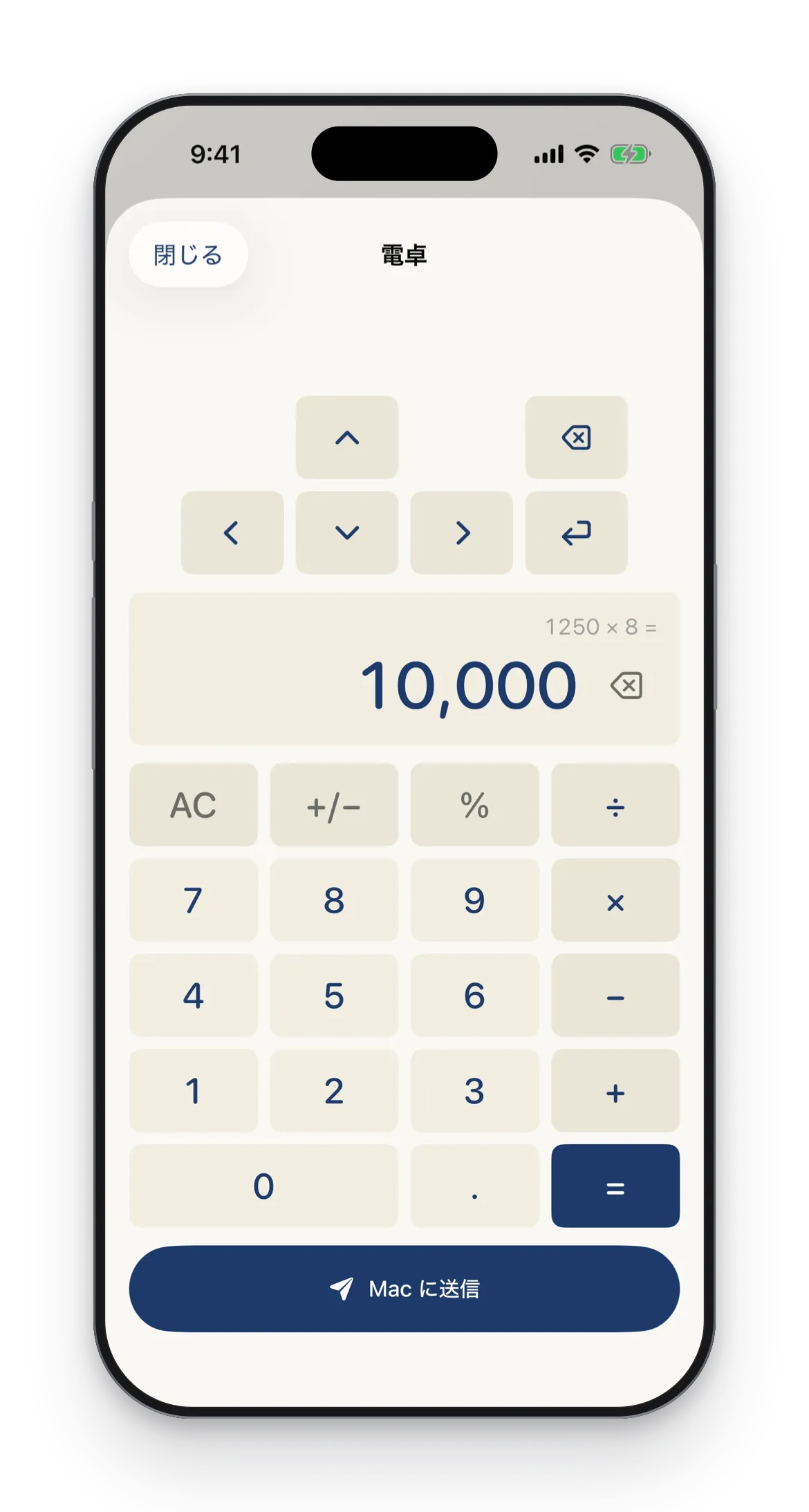
Calculate, then send it over.
Run the numbers at hand and send the result to your Mac. Arrow keys and Enter let you move between cells and commit without leaving your phone.
- Send the result to your Mac in one tap
- Arrow keys and Enter for cell moves and commits
- Finish spreadsheet entry from your hand
Text Input
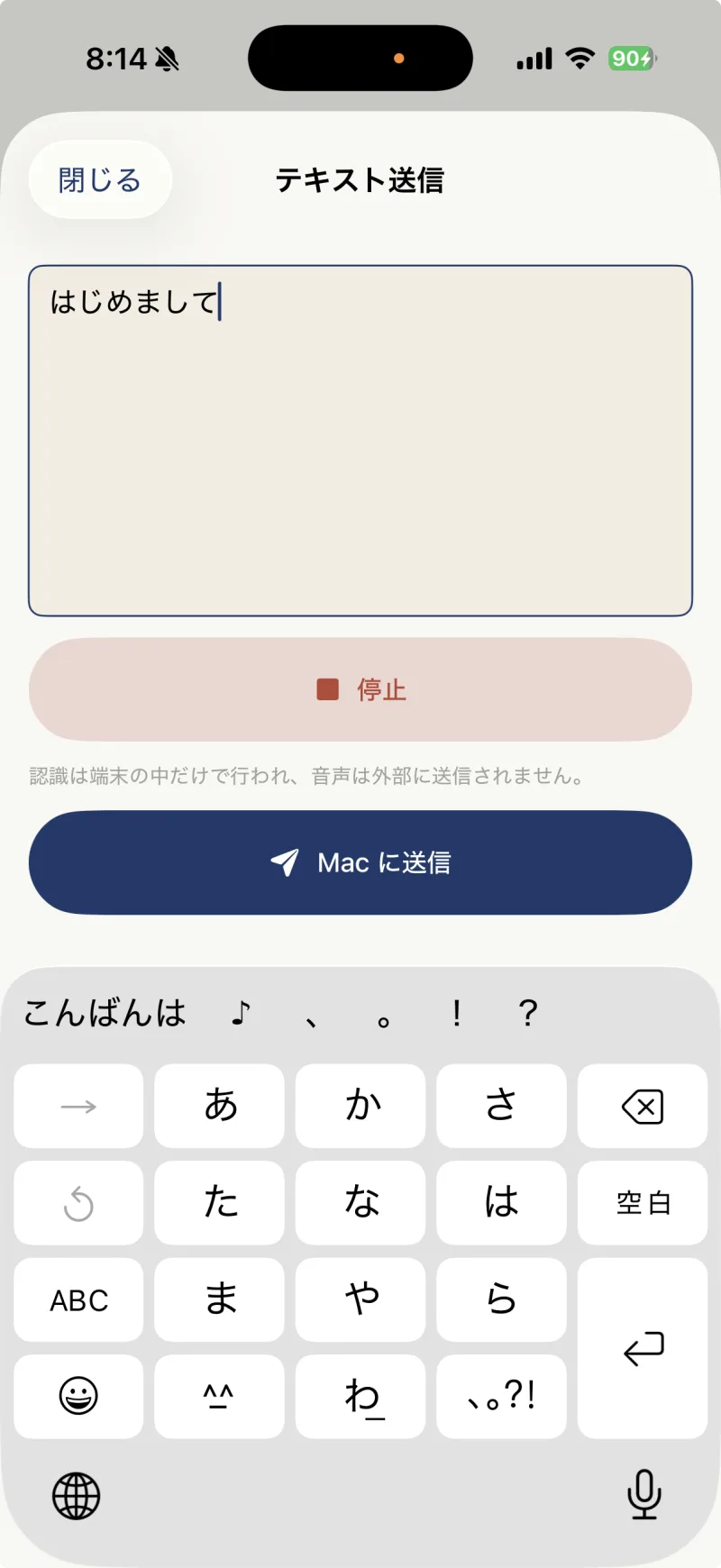
Speak on iPhone, type on Mac.
Send text you type or dictate on your iPhone straight to the cursor position on your Mac. Long passages, just by speaking.
- Dictated text goes straight to your Mac
- Lands at the cursor position
- Copy, paste, and other key actions at hand
- Text you copied on your iPhone goes over in one tap
Files
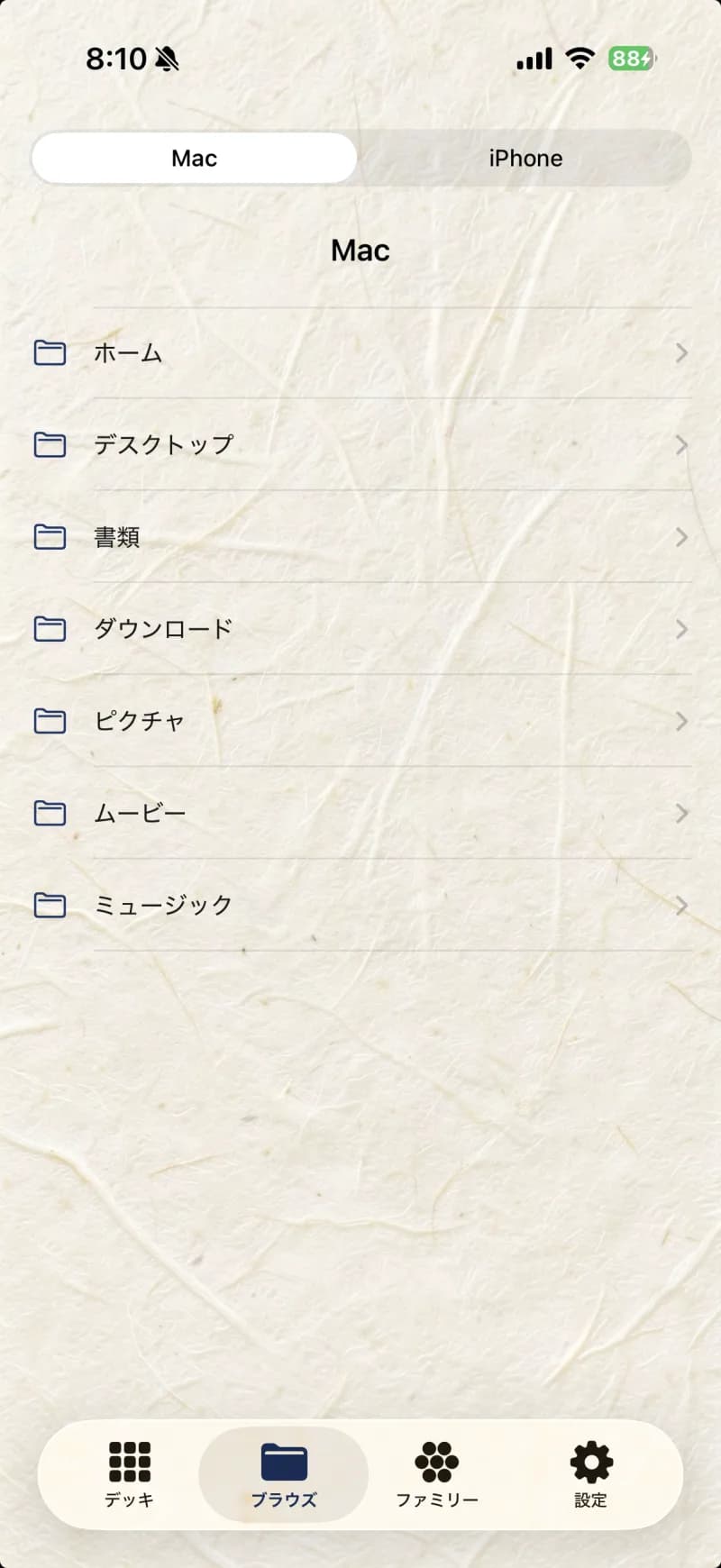
Your Mac's files, at hand.
Browse your Mac's folders from your iPhone to open or receive files. Browsing is limited to your home folder.
- Finder browsing, folder by folder
- Receive files on iPhone, or open them on the Mac
- Home folder only
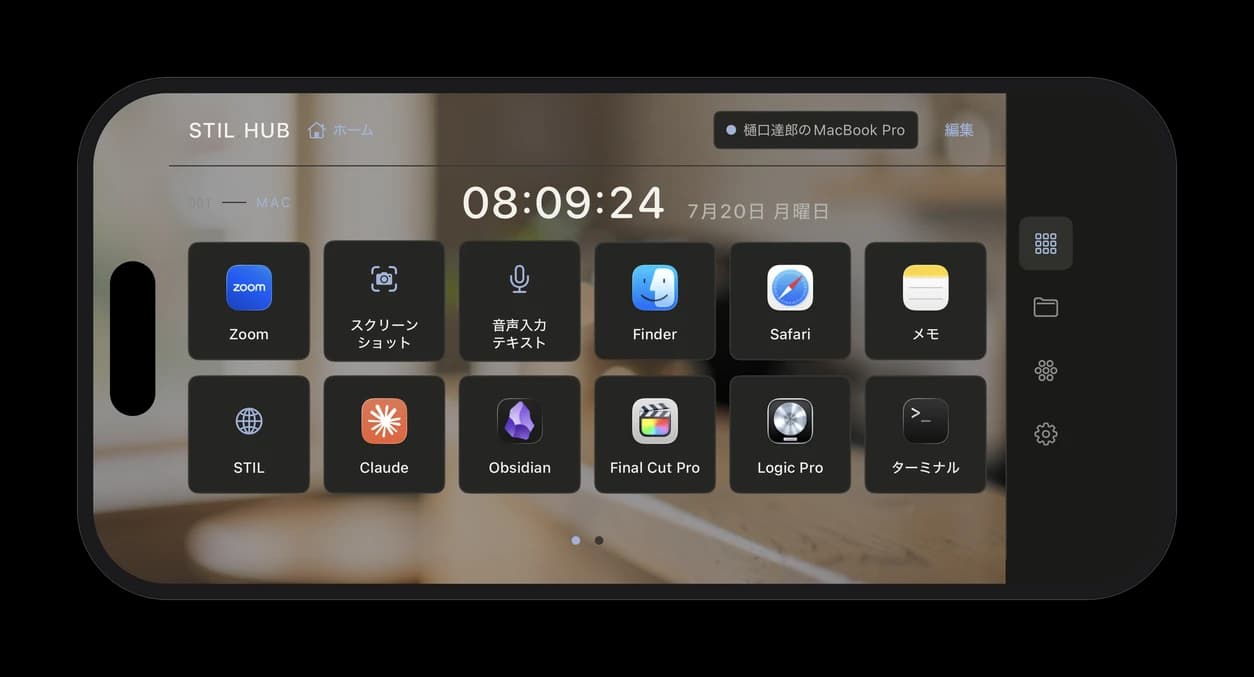
Desk Clock
Turn it sideways — it's a desk clock.
In landscape, STIL.HUB switches to a desk layout with a clock beside your menu. A quiet presence on your desk, even between uses.
On the Mac side: STIL.HUB Companion.
STIL.HUB needs this app on your Mac. It's free, lives in your menu bar, and pairs with your iPhone once using a 6-digit code.
Start with Companion on your Mac.
macOS 14 or later · Free · About 2.3 MB
Runs on both Apple Silicon and Intel. The DMG is signed with a Developer ID and notarized by Apple.
From 1.2, Companion checks for updates on its own. Only if yours is 1.1 or earlier, install it once from here.
Once installed, three steps get you connected.
- 01
Move it to Applications
Open the DMG and drag it to your Applications folder. Otherwise the Accessibility permission is lost on every launch.
- 02
Allow Accessibility
In System Settings → Privacy & Security → Accessibility, allow STIL.HUB Companion.
- 03
Pair with a 6-digit code
Tap Connect in the iPhone app and enter the code shown in the menu bar.
Local Network Only
All between these two.
Your iPhone and Mac talk only within the same local network. Traffic is encrypted with AES-GCM, and nothing is ever sent to our servers or anyone else's. No account, no data collection.
STIL. Family
Same idea, different tools.
The STIL. family is a set of Apple-native apps that keep every bit of processing inside Apple's ecosystem. Photos, business cards, receipts, voice — and now, your Mac.
Built by one indie developer, shaping "what everyone wants" into one app at a time.
STIL.
The best frame from any video
STIL.TOON
Faces into illustrations, one tap
STIL.BIZ
Scan & manage business cards
STIL.RECEIPT
Receipts into expenses
STIL.NOTE
Voice to transcript & summary
STIL.HUB
Control your Mac from your iPhone
Control for your Mac.
Turn everyday actions into buttons and run your Mac from your hand. Now on the App Store — STIL.HUB Companion for Mac is free to download.