Digitize received invoices easily with AI.
Scan or import an invoice you received, and STIL.INVOICE reads the payee, amount, due date, and bank details, then reminds you before the due date. Record it once it is paid. It does not issue invoices.
 Get it on the App StoreSupport & contactRequires iOS 26 or later on iPhone. Available in English and Japanese.
Scan
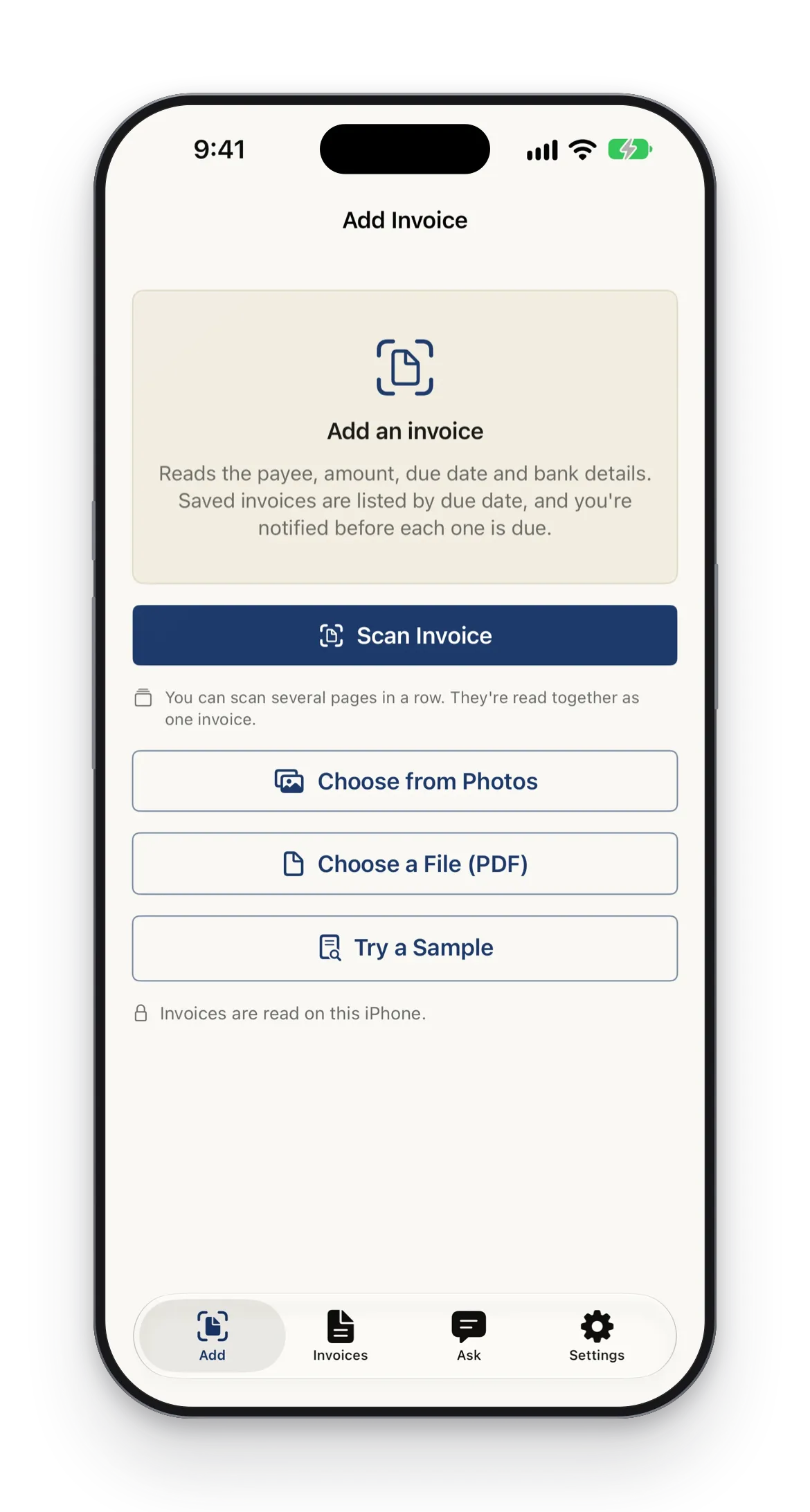
Scan it, or import it.
Scan a paper invoice with the document scanner, or import it from Photos or a PDF file. No invoice at hand? Try a sample to see how it works.
- Document scanner (multi-page)
- Import from Photos or PDF files
- Try it with a sample invoice
Reading
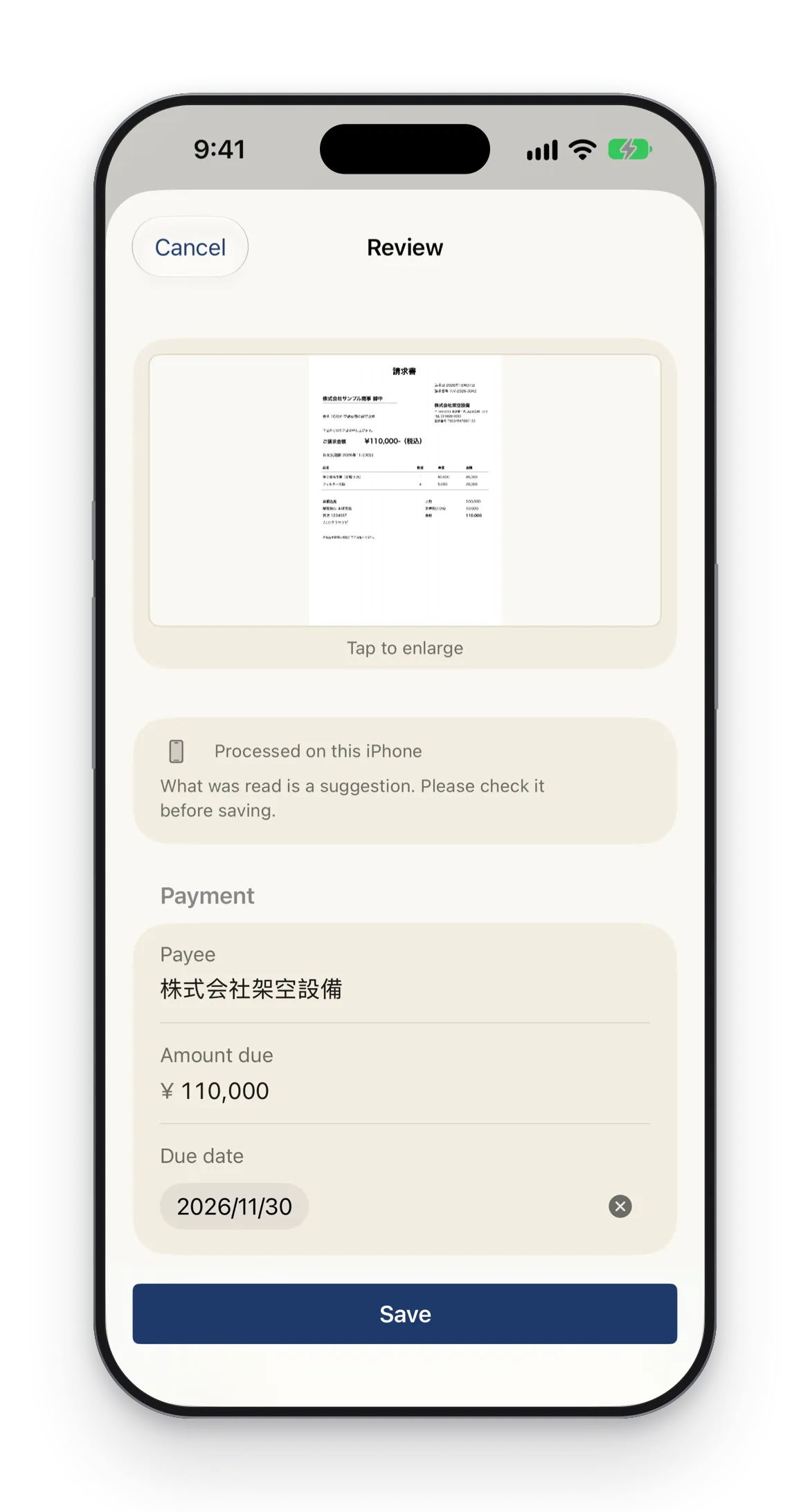
Snap it, and it is read.
STIL.INVOICE reads the payee, subject, invoice number, issue date, due date, total (tax included), and bank details. It also reads consumption tax by rate, withholding tax and the net amount, and the registration number (T + 13 digits), whose format it checks. Fields it is unsure about are highlighted, so you can correct them against the original image.
Device compatibility
Part of reading the payee and subject runs on iPhones that support Apple Intelligence. Reading with Apple's Private Cloud Compute requires iOS 27 and a supported iPhone, and only happens when the setting is on.
What you can do
Checking before you pay, handled for you.
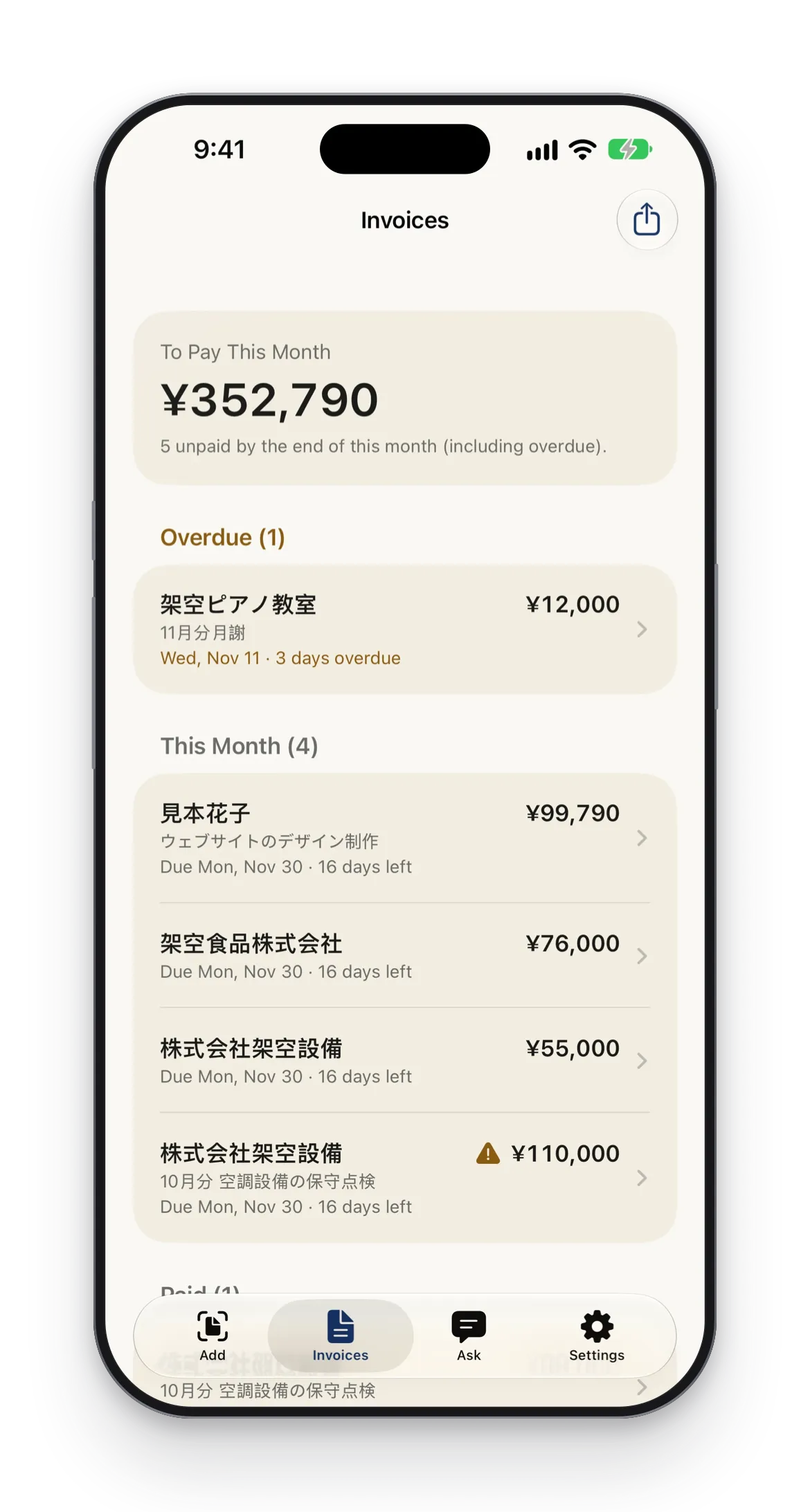
Duplicate invoices, due dates, and this month's total — the things to check before you pay, shown as notices, reminders, and a list.
Ask
Not sure about something? Just ask.
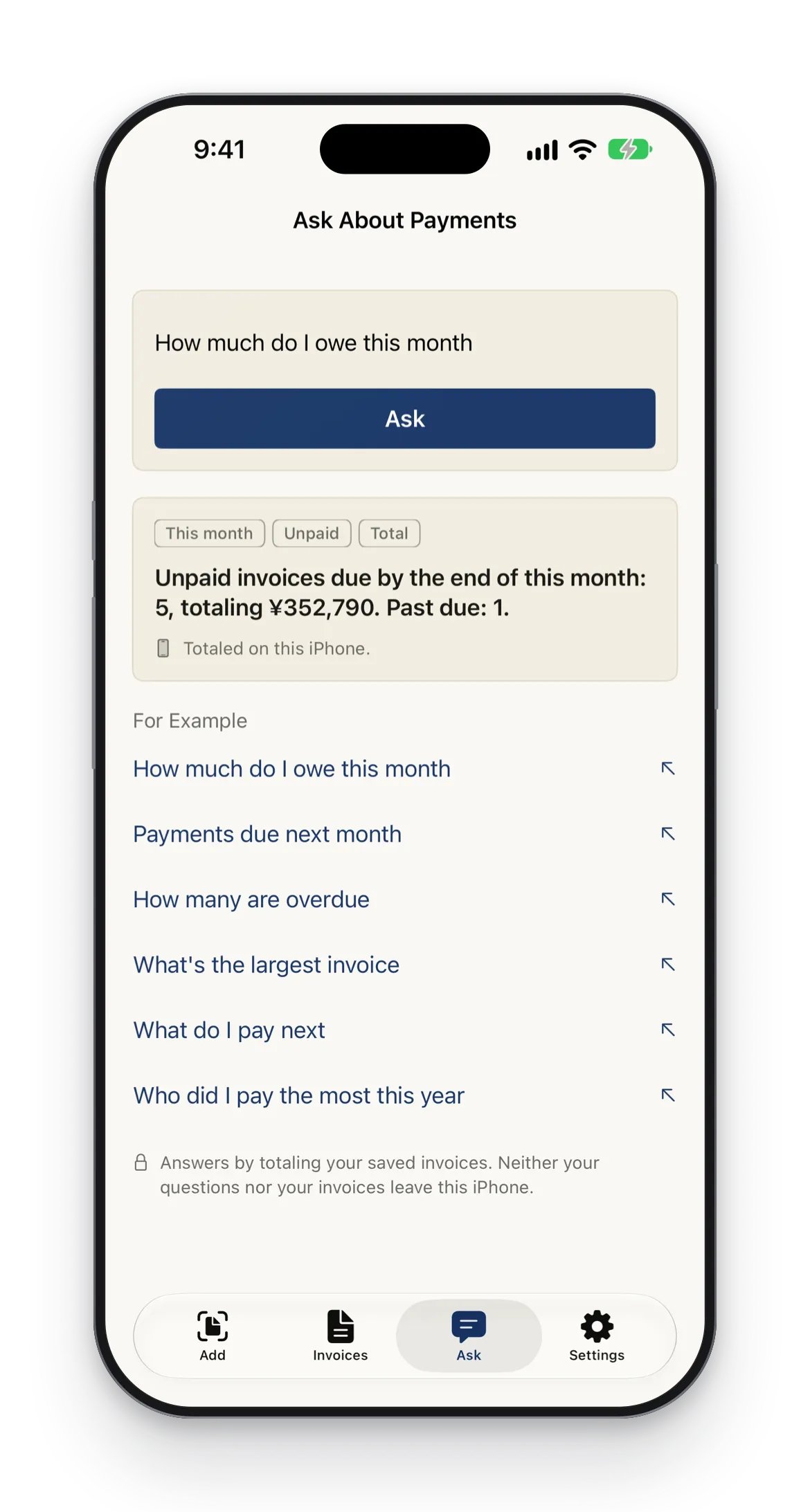
Ask "What do I owe next month?" or "How many are overdue?" in Ask, and the app totals your saved invoices and answers. The app computes the numbers; an on-device model is used only to read the question.
- Invoice contents are never passed to the model
- Totals and counts for this month, next month, and last month are free. Totals by year or payee, the largest invoice, and the next one to pay come with STIL.INVOICE Pro
- Check this month's payments from Siri and Shortcuts, and find invoices in Spotlight (can be turned off in Settings)
Transfer
Notice when bank details change.
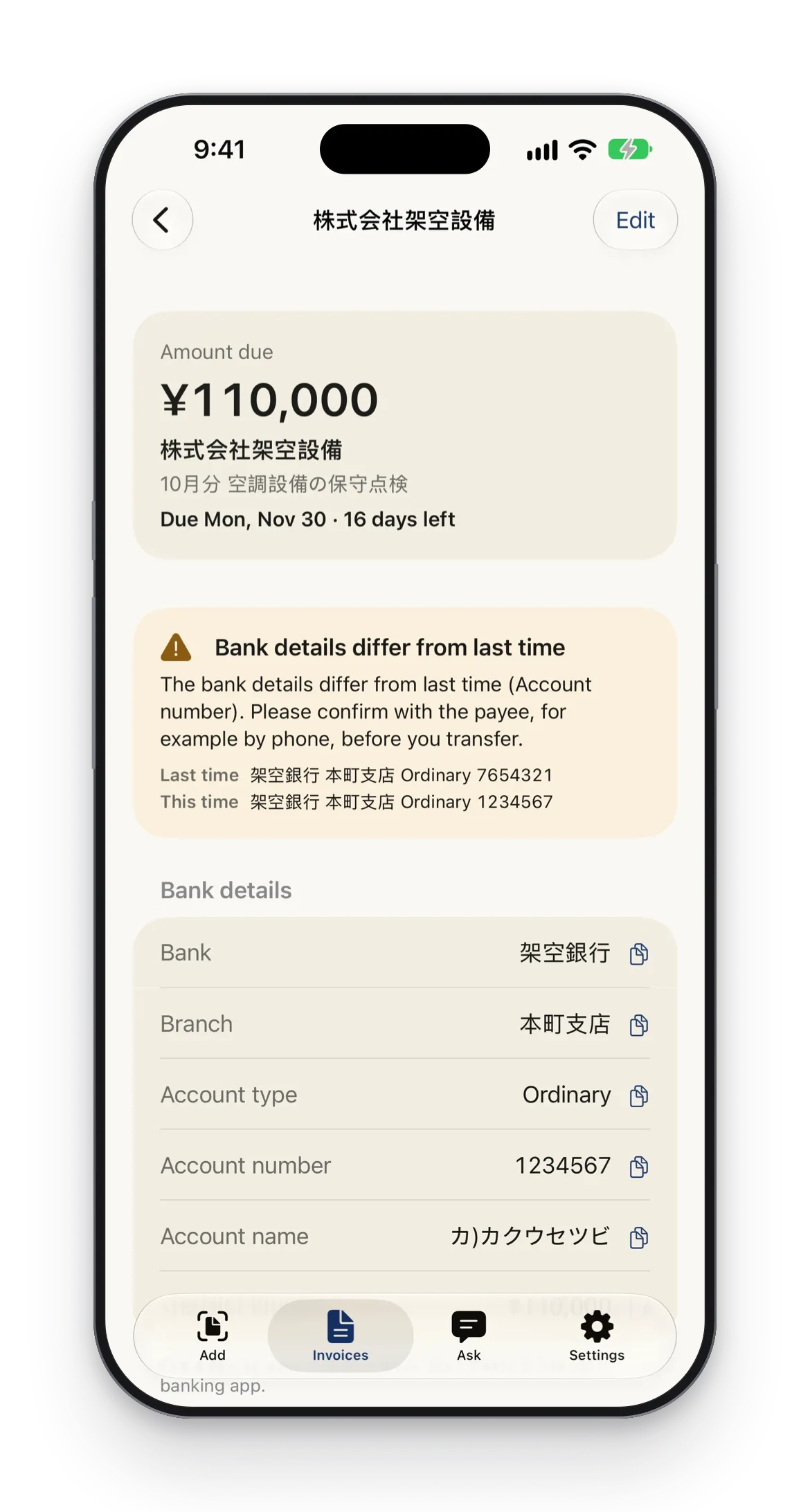
When the bank details differ from the last invoice from the same payee, the invoice shows a notice. Each bank detail can be copied on its own, so there are fewer typing mistakes.
- Previous and current bank details side by side
- Copy the bank, branch, account type, account number, account name, and amount one by one
- A reminder to confirm with the payee before you transfer
Privacy
Reading happens on this iPhone.
Invoice images and the details read from them are stored only in the app on this iPhone. Reading happens on this iPhone too. Only when the setting is on, long invoices and invoices you choose to re-read are read with Apple's Private Cloud Compute (iOS 27, supported devices). The app tells you before the first use.
Support
Questions, requests, and bug reports start here.
For questions about using or purchasing STIL.INVOICE, feature requests, and bug reports, please use the contact form. Including "STIL.INVOICE" in the subject helps us respond sooner.
Before you use it
- STIL.INVOICE keeps track of invoices you have received. It does not issue invoices.
- It does not guarantee compliance with Japan's invoice system or the Electronic Bookkeeping Act.
- Part of reading the payee and subject runs on iPhones that support Apple Intelligence.
- Reading is designed for invoices in yen, written in Japanese or English.
STIL. Family
A new app in the STIL. family.
Receipts you get go to STIL.RECEIPT; invoices you receive go to STIL.INVOICE. Built on the same principles as STIL. (best frame from any video), STIL.TOON (faces into illustrations), and STIL.BIZ (business card scanning).
STIL.INVOICE does not keep your invoices on our servers either.
STIL.
The best frame from any video
STIL.TOON
Faces into illustrations, one tap
STIL.BIZ
Scan & manage business cards
STIL.NOTE
Voice to transcript & summary
STIL.RECEIPT
Receipts into expenses
STIL.INVOICE
Track invoices you need to pay
FAQ
Frequently asked questions
- What does STIL.INVOICE do?
- It is an iPhone app for keeping track of invoices you have received and need to pay. Scan or import an invoice and it reads the payee, amount, due date, and bank details, then reminds you before the due date. You can record it once it is paid.
- Can I create and send invoices with it?
- No. STIL.INVOICE keeps track of invoices you have received. It does not issue invoices.
- Does it comply with Japan's invoice system or the Electronic Bookkeeping Act?
- It does not guarantee compliance. It is an app for keeping due dates and payment records at hand.
- What does it cost, and what does it require?
- It is free to download on the App Store. STIL.INVOICE Pro is available monthly, yearly, or as a one-time purchase. It requires an iPhone with iOS 26 or later, and is available in English and Japanese. Reading is designed for invoices in yen, written in Japanese or English.
Track the invoices you need to pay.
Now on the App Store. Available on iPhone running iOS 26 or later.