STIL.
001Intro
Hi, I'm RECEIPT.

Receipts, all on this iPhone.

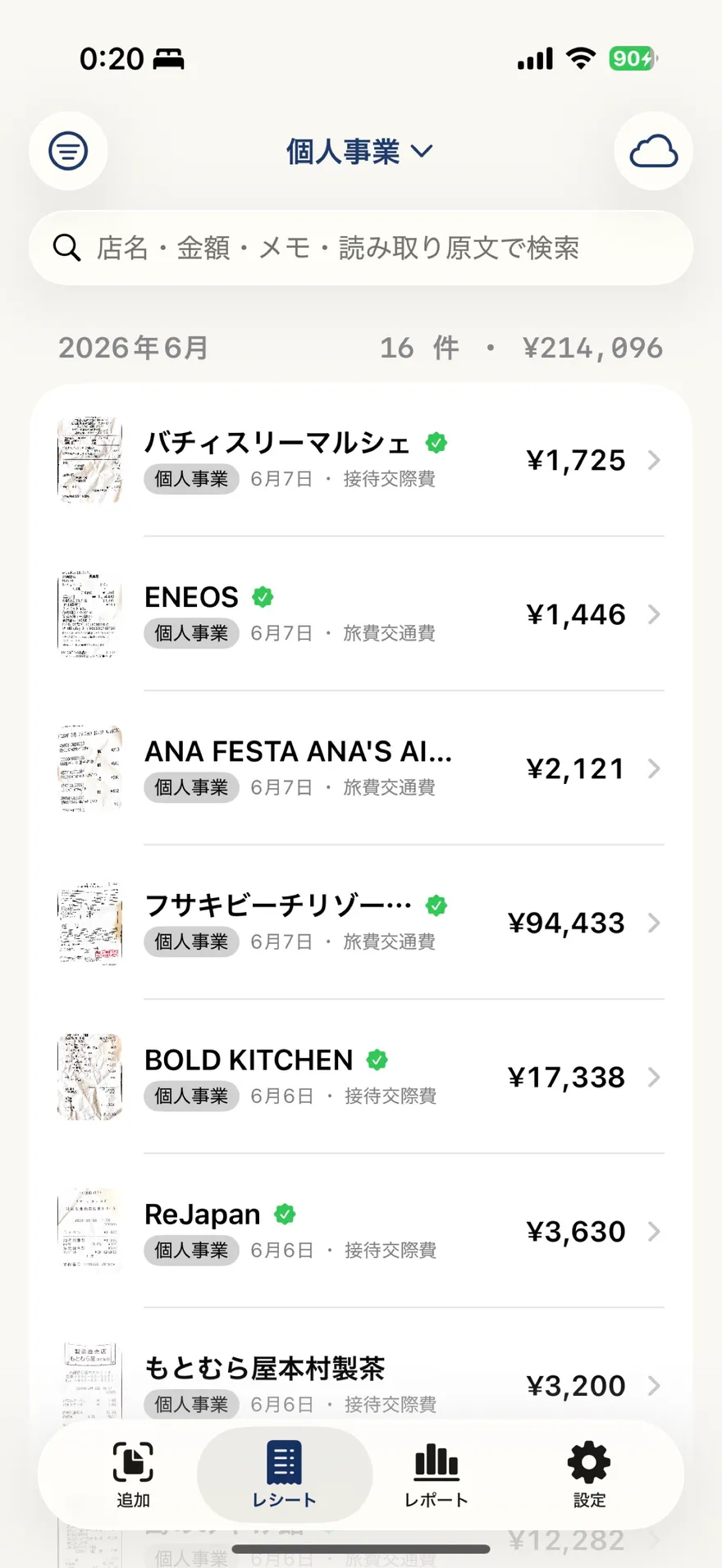
Snap a receipt and STIL.RECEIPT reads and files it as an expense. Date, amount, store, tax breakdown, and the invoice registration number are sorted automatically. Your data never leaves this iPhone.

Get it on the App StoreSee the STIL. familyRequires iOS 26.4. iPhone 15 Pro or later recommended.
STIL.RECEIPTPreview
002Scan

Scan

Snap, and it is organized.

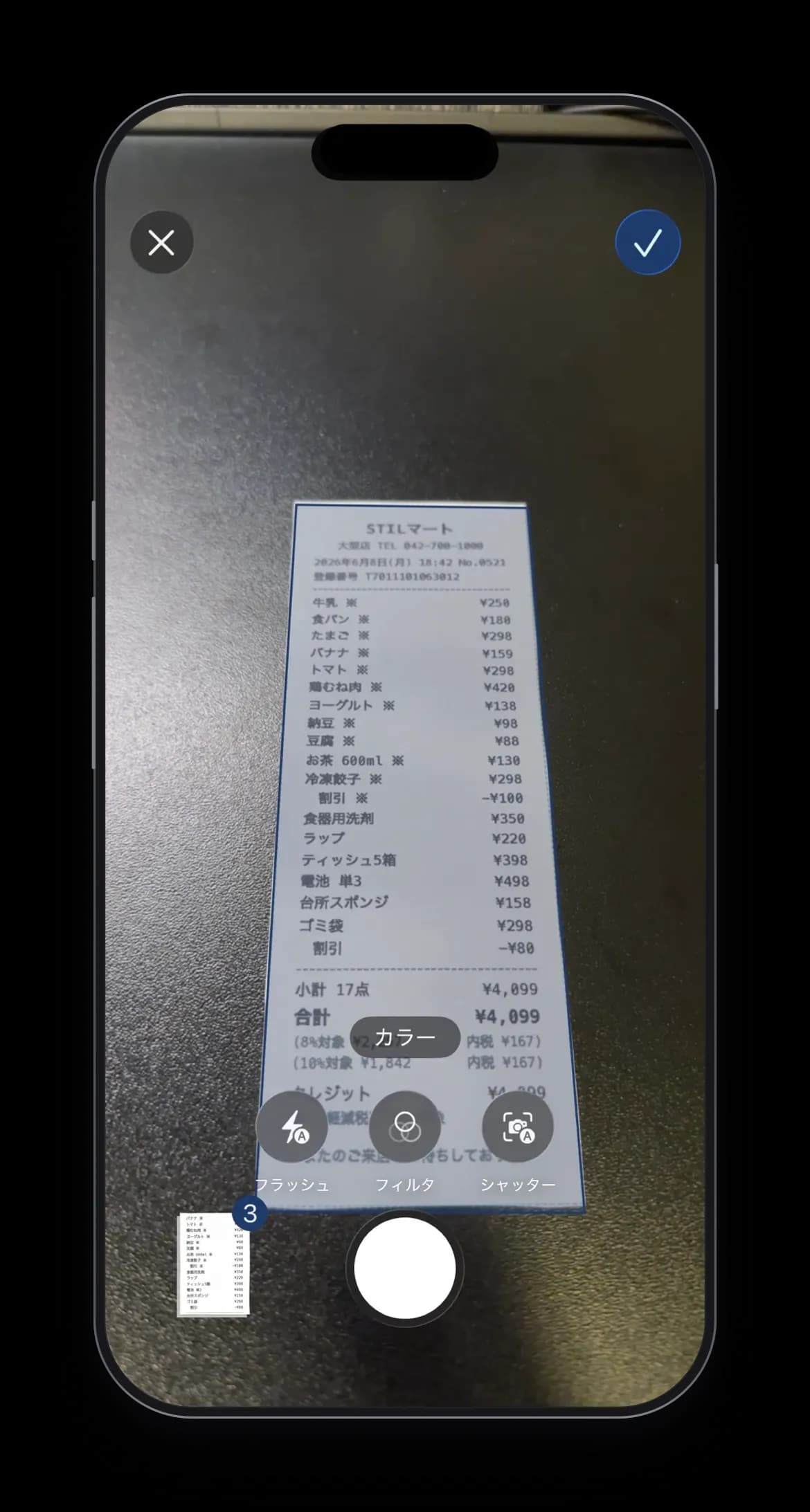
Hold a receipt up to the camera and STIL.RECEIPT corrects the skew and distortion. With Apple's Vision Framework and Document Camera, a long receipt that does not fit in one shot can be merged into a single record across pages.

  • Vision Framework auto-corrects skew and distortion
  • Continuous capture via Document Camera
  • Merge a long receipt into a single record
STIL.RECEIPTPreview
003Magic

Apple Intelligence

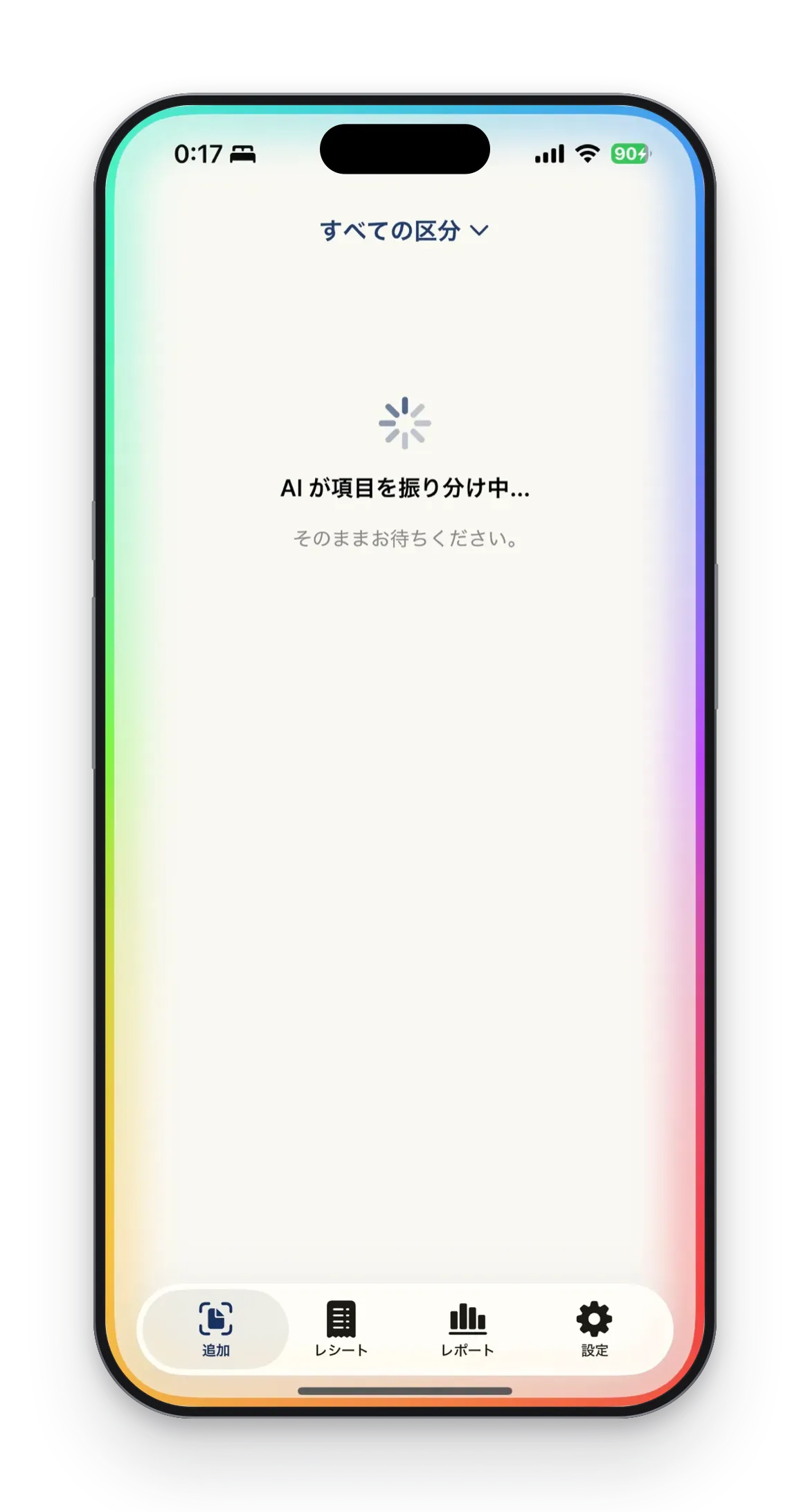
Apple Intelligence sorts the fields.

Recognized text is sorted by AI into date, amount, store, tax breakdown, line items, and the invoice registration number. Everything runs on-device — neither the receipt image nor the recognized text is sent to our servers.

Device compatibility

AI-powered sorting requires an Apple Intelligence capable device (iPhone 15 Pro or later). Other devices use rule-based sorting.

STIL.RECEIPTPreview
004Features

What you can do

Built for expense and tax filing.

From search by date, amount, and payee to the invoice registration number and tax breakdown — the fields you need for expenses and tax filing.

  • 01

    Invoice registration number

    Reads and format-checks the invoice registration number (T + 13 digits).

  • 02

    8% / 10% tax breakdown

    Detects the reduced rate, separates the tax breakdown, and captures discounts.

  • 03

    Search

    Search by date, amount, and payee — the fields required for electronic bookkeeping.

  • 04

    Addressee and notes

    Handles the addressee and note fields on formal receipts.

  • 05

    Keep books separate

    Sort by Private, Sole Proprietor, Company, and more.

  • 06

    Long receipts in one

    Merge a multi-page receipt into a single record.

005Detail
STIL.RECEIPTPreview

STIL.RECEIPT Pro

Straight into your accounting app.

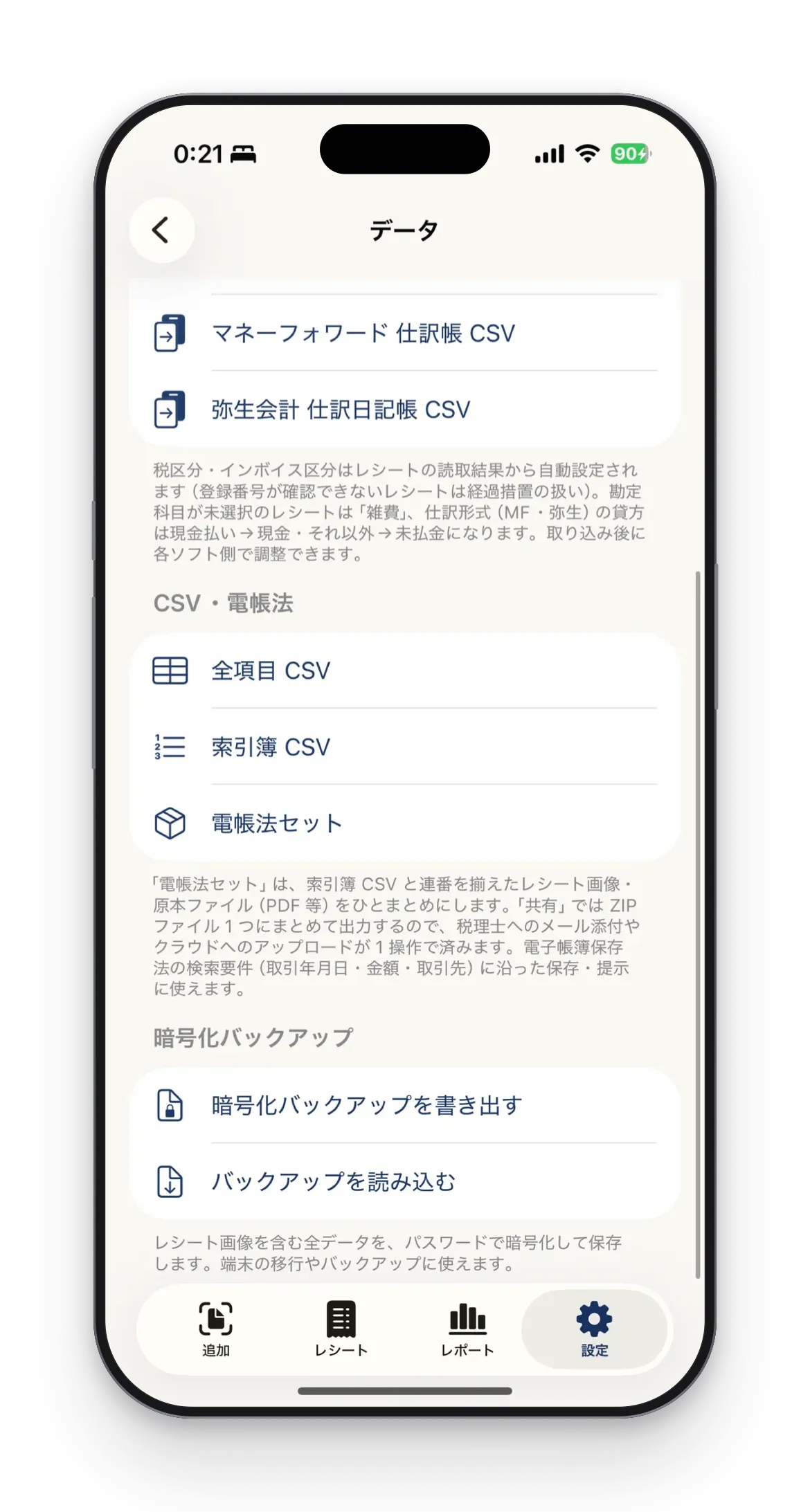
CSV for freee, Money Forward, and Yayoi, an electronic-bookkeeping set, and detailed reports. Pro takes your expenses and tax filing further.

  • CSV for accounting software — freee, Money Forward, Yayoi
  • Electronic-bookkeeping set — index, numbered images, and originals as a ZIP
  • Detailed reports by account, tax rate, payment method, and month
006Privacy

Privacy

Your receipts never leave this iPhone.

Capture, OCR, field sorting, and storage all happen on this iPhone. Neither the receipt image nor the recognized data is ever sent to our servers.

Vision Framework for skew correction and OCR
Apple Intelligence for field sorting
Stored locally; iCloud sync and encrypted backup optional on Pro
We operate no servers of our own
007Family

STIL. Family

The fifth app in the STIL. family.

Built on the same principles as STIL. (best frame from any video), STIL.TOON (faces into illustrations), STIL.NOTE (voice to text), and STIL.BIZ (business card scanning) — a privacy-first iPhone app.

Photos, videos, voice, cards, and receipts — none of it ever leaves your iPhone. Every action completes on-device.

  • STIL.

    動画から最良の 1 枚

  • STIL.TOON

    顔をワンタップでイラスト化

  • STIL.NOTE

    音声を文字起こし・要約

  • STIL.BIZ

    名刺をスキャン・管理

  • STIL.RECEIPT

    レシートを経費に

008Release

Turn receipts into expenses, on iPhone.

Coming soon to the App Store. Available on iPhone running iOS 26.4 or later.

STIL.RECEIPT — Receipts, on your iPhone.